
When you first purchase a Club Scrap Membership, you add your address as part of the process. But what happens if you need to change it? Follow the simple steps below to update the shipping address associated with your account.
How to Update an Address
Log in to your account.
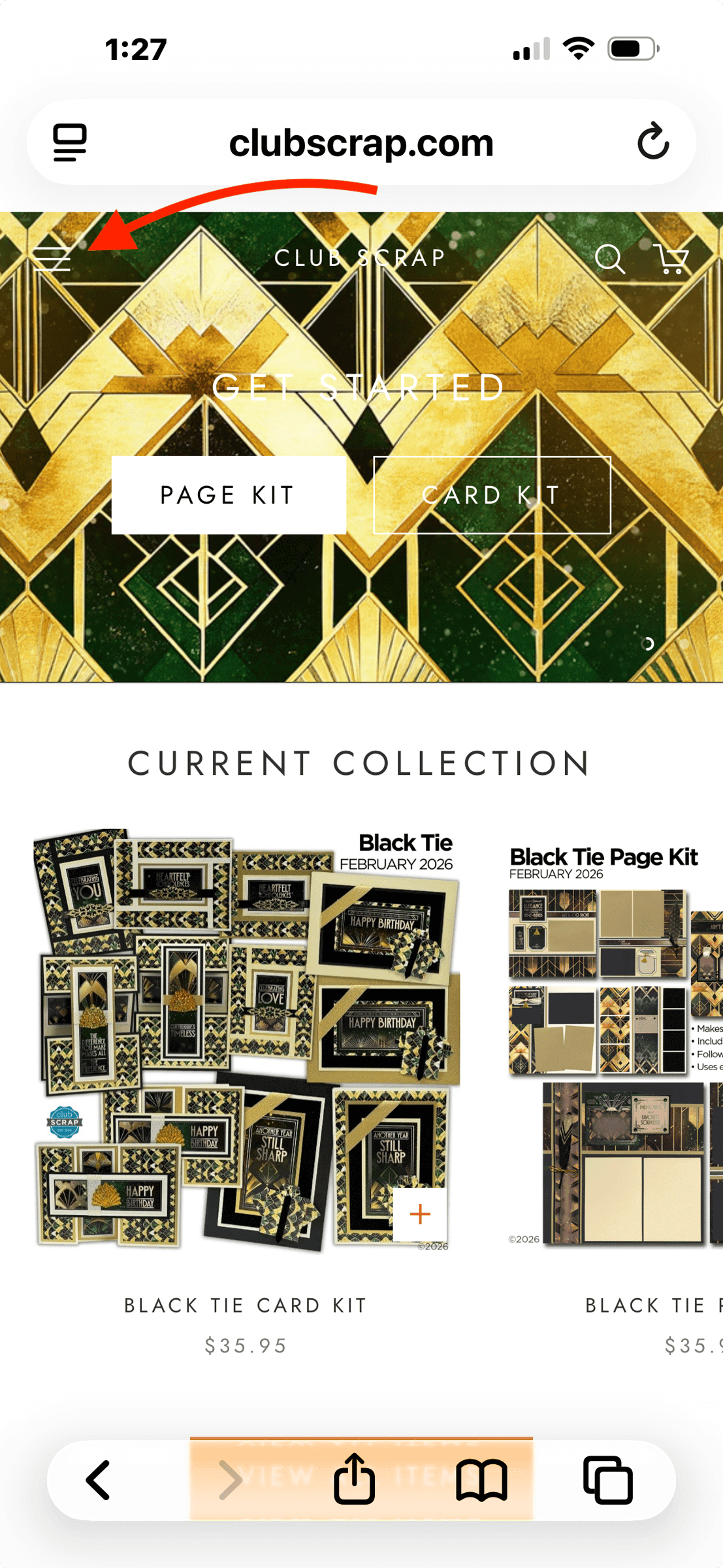
On a mobile device, click the three white lines at the top left of the screen.
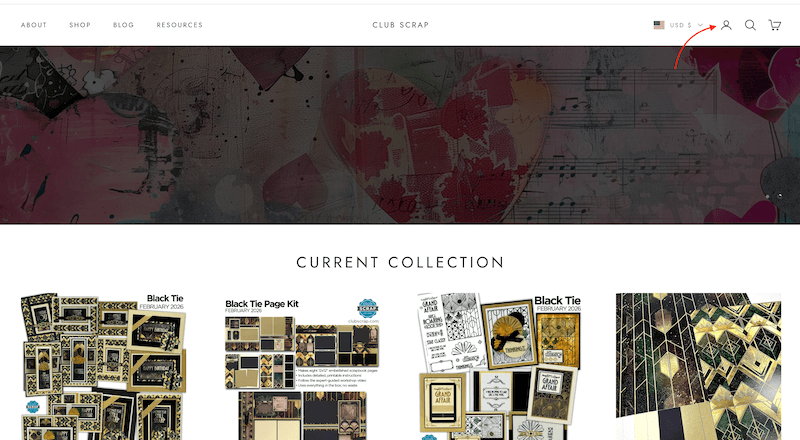
If you're on a desktop computer or laptop, click on the head and shoulders icon in the top right corner of your screen.
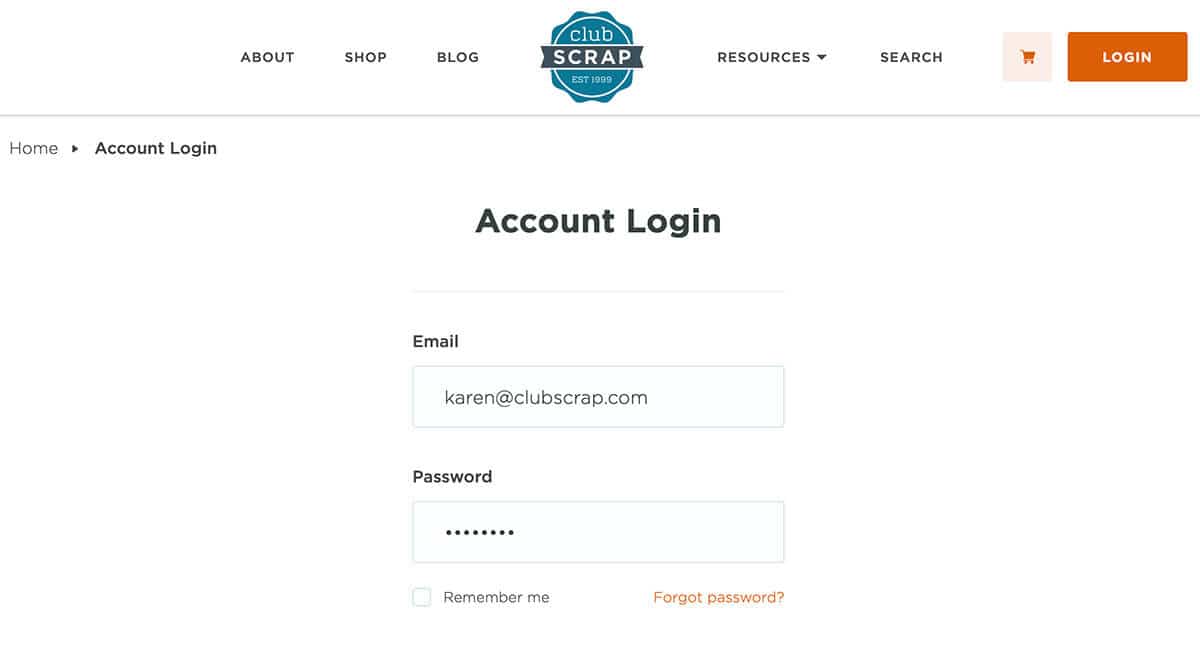
Fill in your email and password. Click the orange LOGIN button.
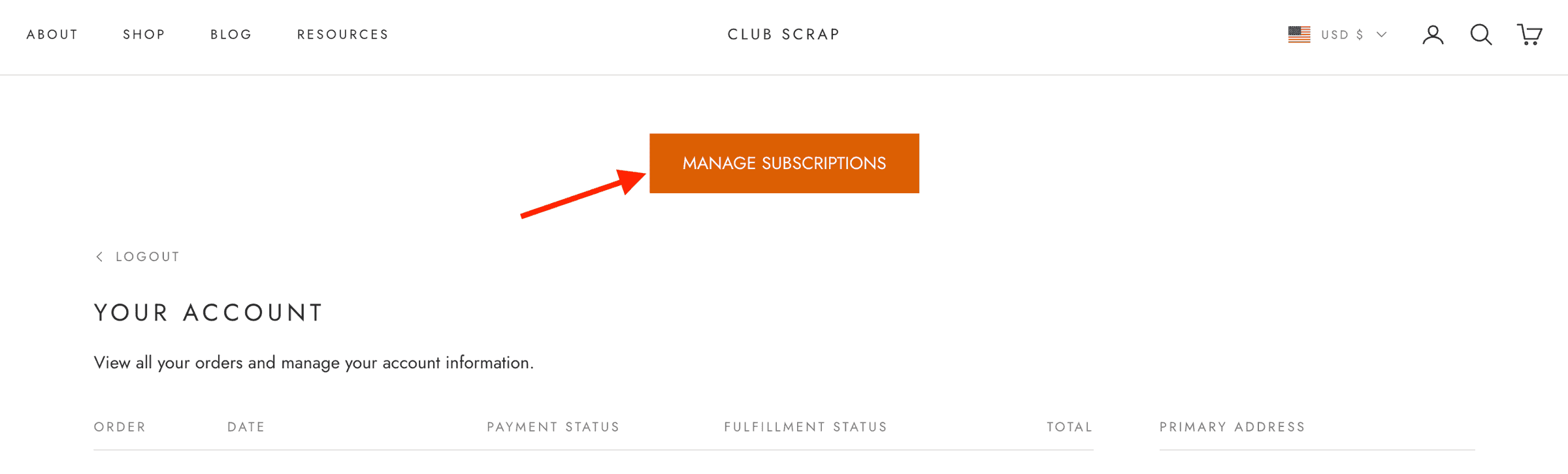
Click the Manage Subscriptions button.
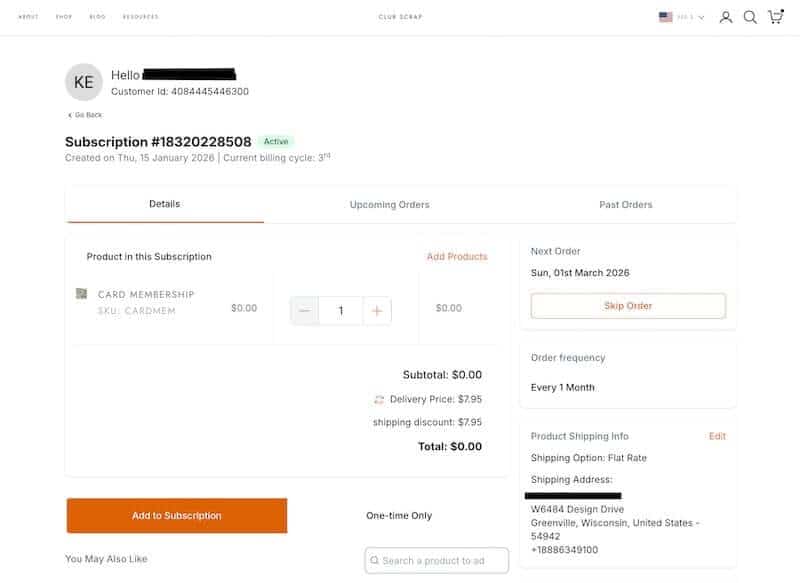
Confirm your shipping address.
Verify the address of your next monthly shipment.
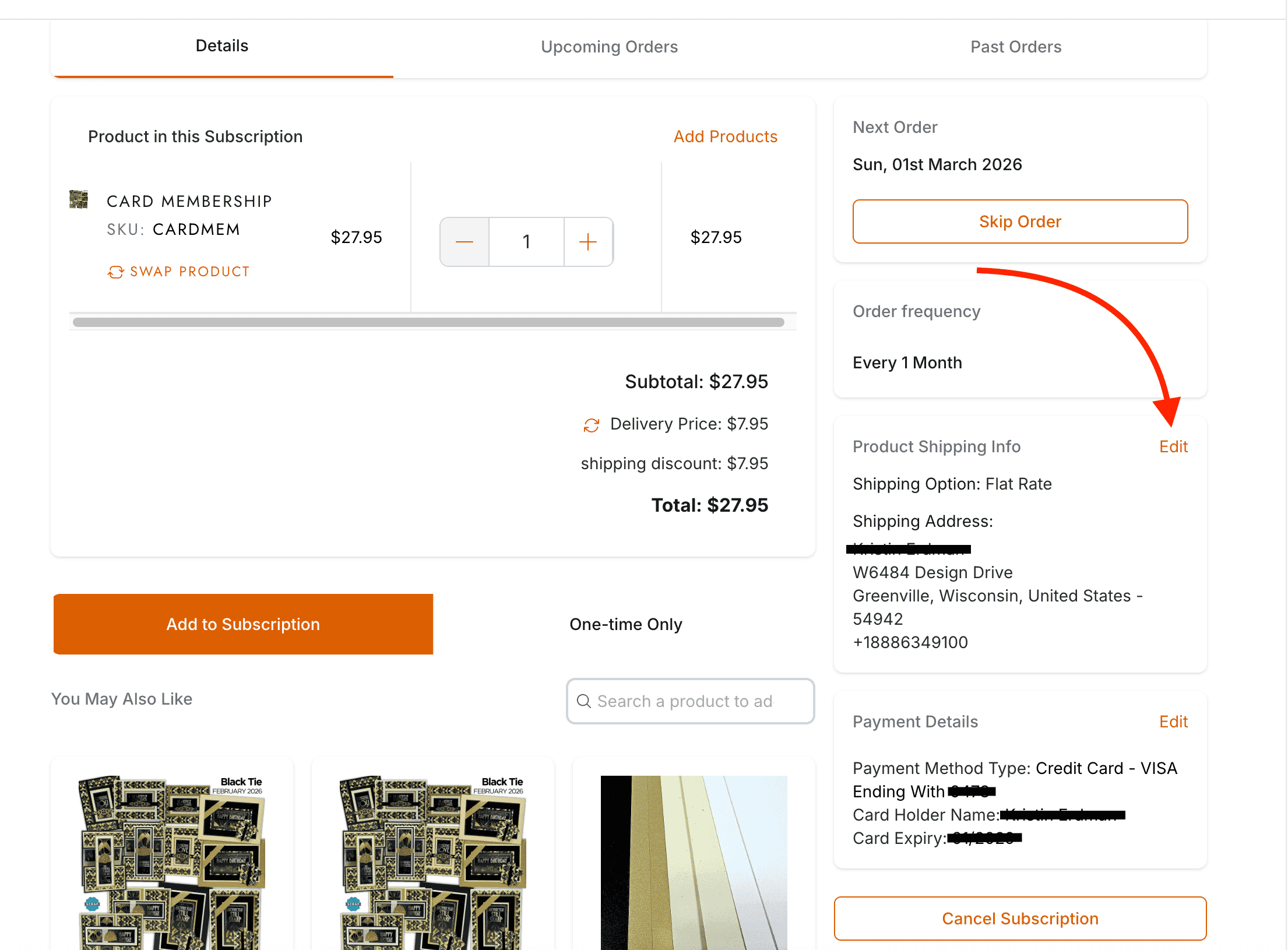
Click Edit to add or change an existing address.
Edit the current address or choose another address from the list.
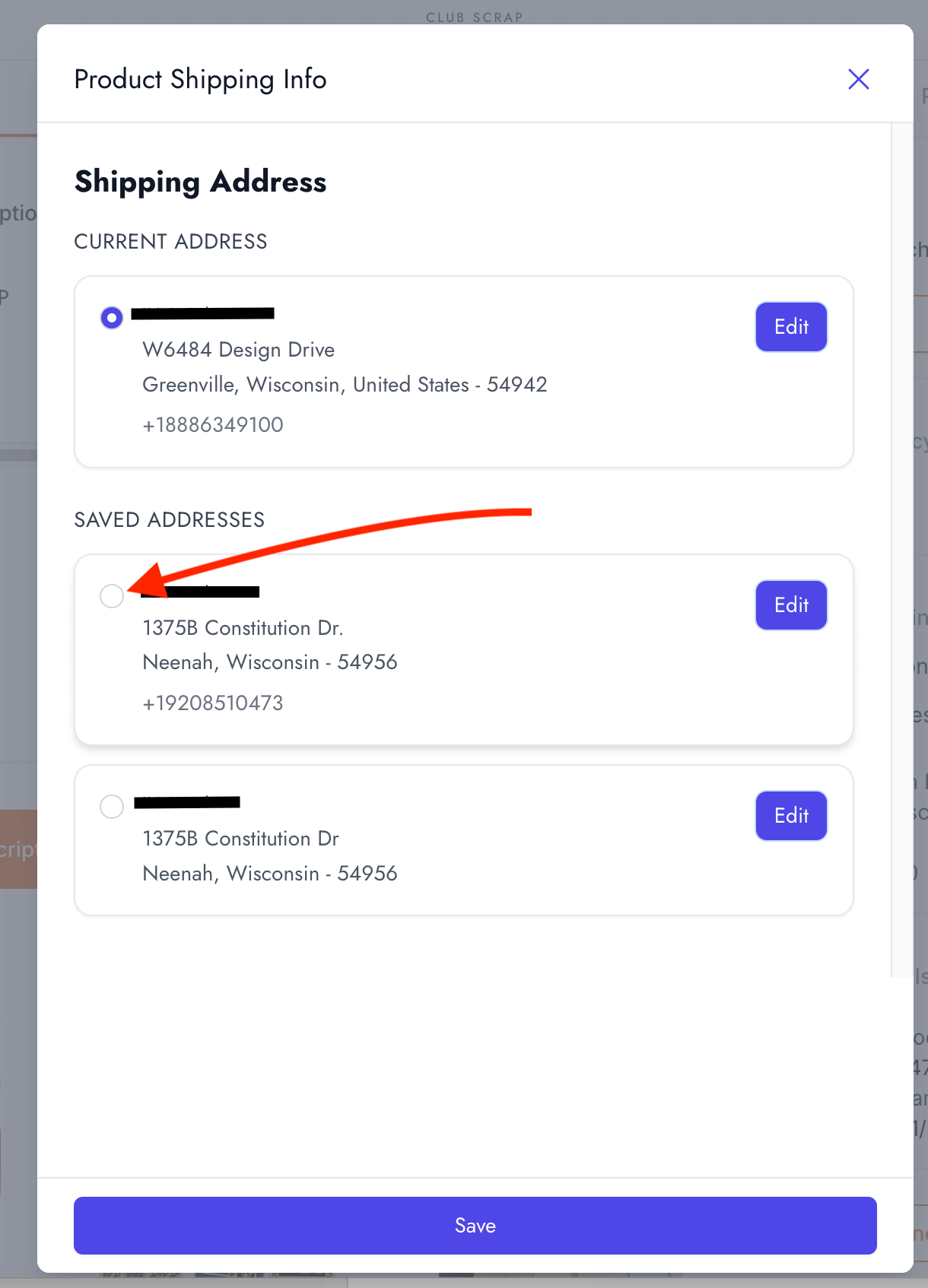
If you choose to edit an existing address, the window shown below will appear. Fill in the correct information and click Save.
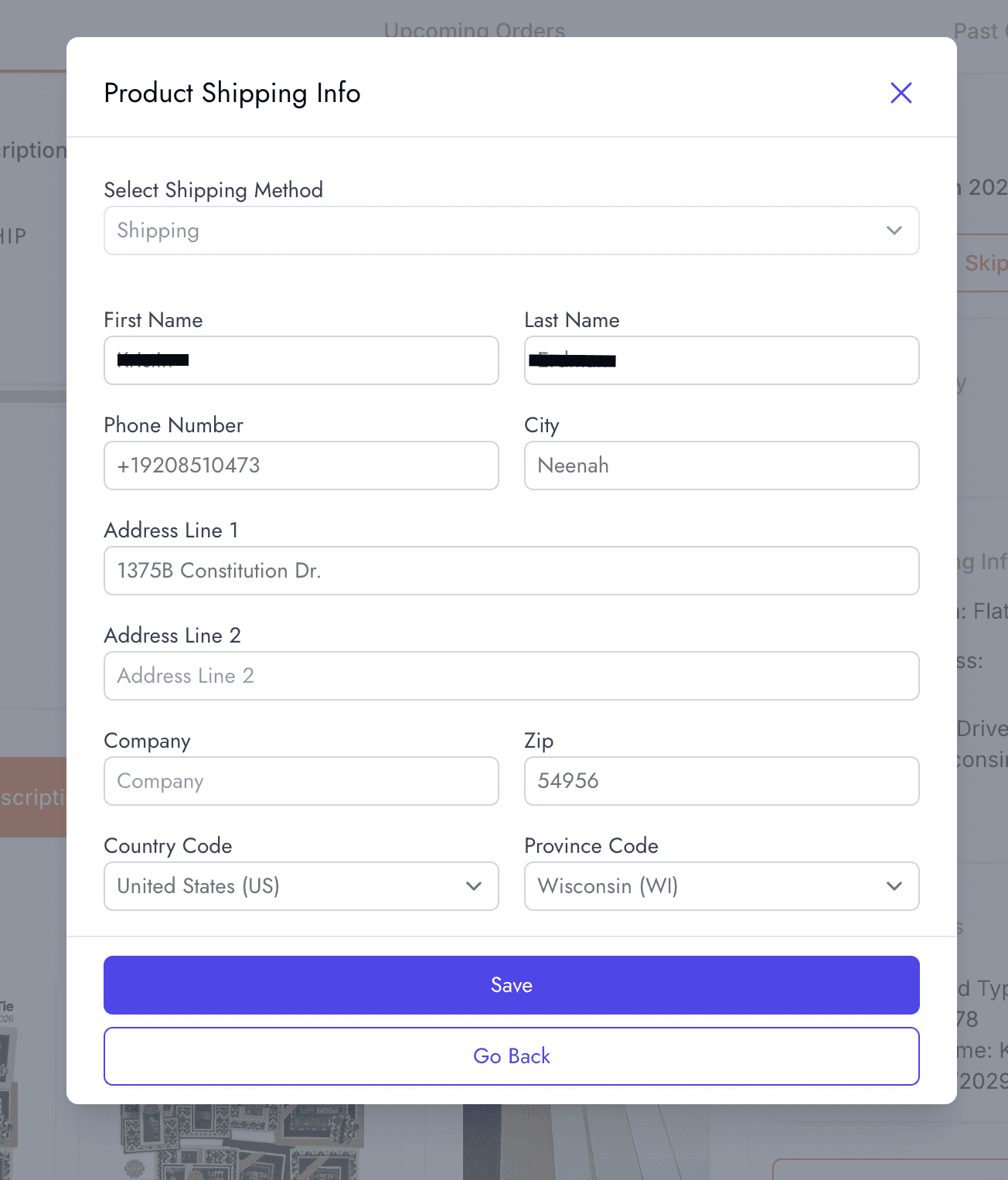
It's that easy! Please note, any changes made to the shipping address will take effect with the next kit shipment.
Once you master navigating the "Manage Subscription" area, you'll enjoy the freedom of adjusting your subscription to meet your growing or changing needs. As always, we are here to help if you need further assistance after reviewing the above information.
Thank you so much for your membership and loyalty. We appreciate you!